Opening world settings from world homepage/dashboard send me to an error screen
Opening world settings from world homepage/dashboard send me to an error screen
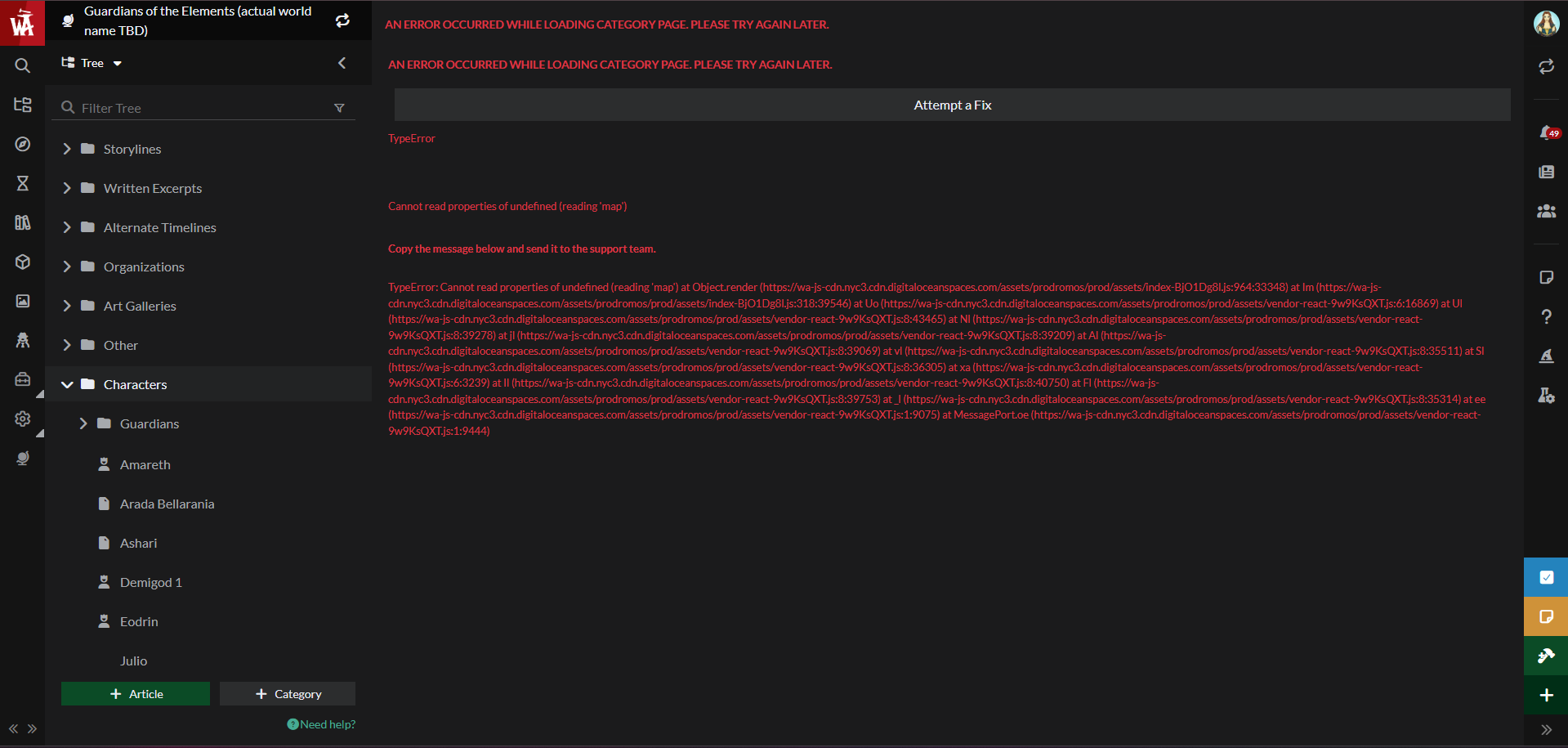
On my world's homepage/dashboard, I clicked the small gear icon below the world's name to open the world settings window (the one that includes world privacy status, among other things), and it loaded briefly but after a second or two it sends me to an error page that told me to copy the following error message and send it to support:
TypeError: Cannot read properties of undefined (reading 'map') at Object.render (https://wa-js-cdn.nyc3.cdn.digitaloceanspaces.com/assets/prodromos/prod/assets/index-BjO1Dg8l:964:33348) at Im (https://wa-js-cdn.nyc3.cdn.digitaloceanspaces.com/assets/prodromos/prod/assets/index-BjO1Dg8l:318:39546) at Uo (https://wa-js-cdn.nyc3.cdn.digitaloceanspaces.com/assets/prodromos/prod/assets/vendor-react-9w9KsQXT:6:16869) at Ul (https://wa-js-cdn.nyc3.cdn.digitaloceanspaces.com/assets/prodromos/prod/assets/vendor-react-9w9KsQXT:8:43465) at Nl (https://wa-js-cdn.nyc3.cdn.digitaloceanspaces.com/assets/prodromos/prod/assets/vendor-react-9w9KsQXT:8:39278) at jl (https://wa-js-cdn.nyc3.cdn.digitaloceanspaces.com/assets/prodromos/prod/assets/vendor-react-9w9KsQXT:8:39209) at Al (https://wa-js-cdn.nyc3.cdn.digitaloceanspaces.com/assets/prodromos/prod/assets/vendor-react-9w9KsQXT:8:39069) at vl (https://wa-js-cdn.nyc3.cdn.digitaloceanspaces.com/assets/prodromos/prod/assets/vendor-react-9w9KsQXT:8:35511) at Sl (https://wa-js-cdn.nyc3.cdn.digitaloceanspaces.com/assets/prodromos/prod/assets/vendor-react-9w9KsQXT:8:36305) at xa (https://wa-js-cdn.nyc3.cdn.digitaloceanspaces.com/assets/prodromos/prod/assets/vendor-react-9w9KsQXT:6:3239) at Il (https://wa-js-cdn.nyc3.cdn.digitaloceanspaces.com/assets/prodromos/prod/assets/vendor-react-9w9KsQXT:8:40750) at Fl (https://wa-js-cdn.nyc3.cdn.digitaloceanspaces.com/assets/prodromos/prod/assets/vendor-react-9w9KsQXT:8:39753) at _l (https://wa-js-cdn.nyc3.cdn.digitaloceanspaces.com/assets/prodromos/prod/assets/vendor-react-9w9KsQXT:8:35314) at ee (https://wa-js-cdn.nyc3.cdn.digitaloceanspaces.com/assets/prodromos/prod/assets/vendor-react-9w9KsQXT:1:9075) at MessagePort.oe (https://wa-js-cdn.nyc3.cdn.digitaloceanspaces.com/assets/prodromos/prod/assets/vendor-react-9w9KsQXT:1:9444)
The rest of the interface is working fine for me. I did a hard refresh using control+shift+R and that didn't help.
Steps to Reproduce
I don't know if this is something that is reproducable on any system or if it's unique to my system for some reason. I don't know exactly what caused it or why it's happening. I can only hope the error report contains enough info to figure out what I need to do to fix it.
What I did was:
Operating System
WindowsBrowser
Google ChromeHistory
Find your way!
Resources
WHO WE ARE
LEGAL
Listen to our Podcast



