CLICKING THE WORLD SETTINGS COG ICON CRASHES THE PAGE
CLICKING THE WORLD SETTINGS COG ICON CRASHES THE PAGE
TypeError: Cannot read properties of undefined (reading 'map') at Object.render (https://wa-js-cdn.nyc3.cdn.digitaloceanspaces.com/assets/prodromos/prod/assets/index-ClOciOMv:944:31469) at iu (https://wa-js-cdn.nyc3.cdn.digitaloceanspaces.com/assets/prodromos/prod/assets/index-ClOciOMv:298:39536) at Uo (https://wa-js-cdn.nyc3.cdn.digitaloceanspaces.com/assets/prodromos/prod/assets/vendor-react-CMOZlPon:6:16869) at Ul (https://wa-js-cdn.nyc3.cdn.digitaloceanspaces.com/assets/prodromos/prod/assets/vendor-react-CMOZlPon:8:43465) at Nl (https://wa-js-cdn.nyc3.cdn.digitaloceanspaces.com/assets/prodromos/prod/assets/vendor-react-CMOZlPon:8:39278) at jl (https://wa-js-cdn.nyc3.cdn.digitaloceanspaces.com/assets/prodromos/prod/assets/vendor-react-CMOZlPon:8:39209) at Al (https://wa-js-cdn.nyc3.cdn.digitaloceanspaces.com/assets/prodromos/prod/assets/vendor-react-CMOZlPon:8:39069) at vl (https://wa-js-cdn.nyc3.cdn.digitaloceanspaces.com/assets/prodromos/prod/assets/vendor-react-CMOZlPon:8:35511) at Sl (https://wa-js-cdn.nyc3.cdn.digitaloceanspaces.com/assets/prodromos/prod/assets/vendor-react-CMOZlPon:8:36305) at xa (https://wa-js-cdn.nyc3.cdn.digitaloceanspaces.com/assets/prodromos/prod/assets/vendor-react-CMOZlPon:6:3239)
Steps to Reproduce
CLICK THE WORLD SETTINGS ICON PAGE FROM WORLD DASHBOARD.
Operating System
WindowsBrowser
Google ChromeRelated Entity
WORLD SETTINGS COG ICON AND ACCESS TO THE WORLD SETTINGS PAGE.History
I seem to be unable to reproduce this error on your world, so that means its probably a local issue, try to login to your account in incognito mode and if you no longer have this error then attempt to clear your site data by doing f12->application->storage->clear site data.
I had the same issue, I did reset. Restart, reload chrome in incognito, and clear chache and cookies.
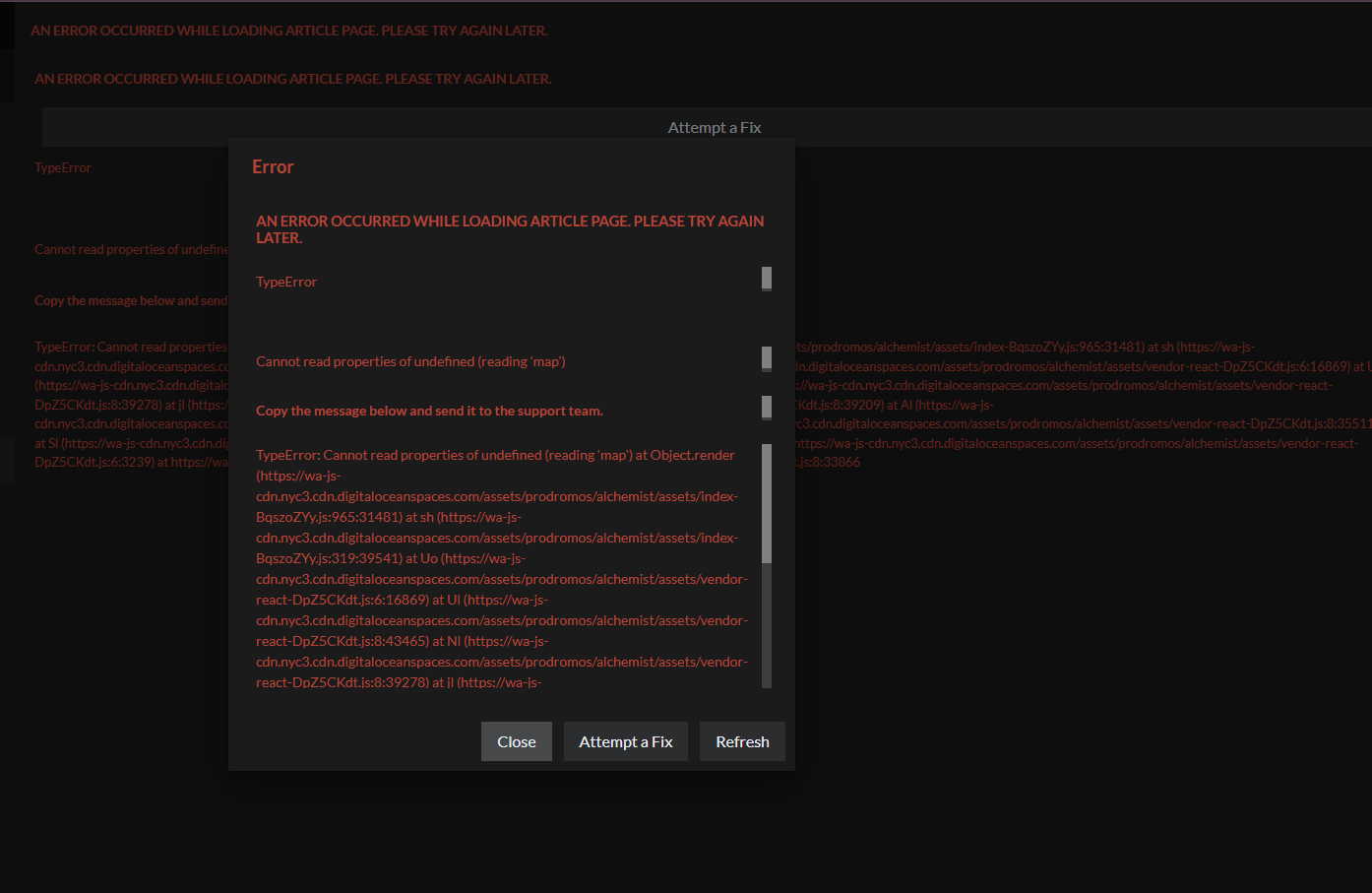
I have also had the same issue. I have to reset everytime I access it in order to use it
exactly that^
Exactly the same issue, but if i ignore it and just go to the world via the world settings it works normally. quite annoying tho.
A fix for this has been released!
Find your way!
Resources
WHO WE ARE
LEGAL
Listen to our Podcast



