World Homepage cannot be edited after switching Text Editor
World Homepage cannot be edited after switching Text Editor
When testing the img URL functionality in the Custom Area of the World Homepage, it was necessary to switch to the Euclid Editor. However, after finishing the BBCode editing and switching back to the Visual Editor, the following error occurred:
Cannot read properties of undefined (reading 'direction')
After this error, the World Homepage editor could no longer be opened.
The detailed error report is as follows:
TypeError: Cannot read properties of undefined (reading 'direction') at cme.generateUrlContent (https://wa-js-cdn.nyc3.cdn.digitaloceanspaces.com/assets/prodromos/alchemist/assets/vendor-wysiswyg-DFoclVq3:238:16986) at cme.genContent (https://wa-js-cdn.nyc3.cdn.digitaloceanspaces.com/assets/prodromos/alchemist/assets/vendor-wysiswyg-DFoclVq3:238:14073) at cme.spawnBlockWithContent (https://wa-js-cdn.nyc3.cdn.digitaloceanspaces.com/assets/prodromos/alchemist/assets/vendor-wysiswyg-DFoclVq3:238:9810) at cme.parse (https://wa-js-cdn.nyc3.cdn.digitaloceanspaces.com/assets/prodromos/alchemist/assets/vendor-wysiswyg-DFoclVq3:238:5788) at https://wa-js-cdn.nyc3.cdn.digitaloceanspaces.com/assets/prodromos/alchemist/assets/vendor-wysiswyg-DFoclVq3:239:9405 at Array.forEach (<anonymous>) at https://wa-js-cdn.nyc3.cdn.digitaloceanspaces.com/assets/prodromos/alchemist/assets/vendor-wysiswyg-DFoclVq3:239:9372 at Array.forEach (<anonymous>) at dme.produceBlocks (https://wa-js-cdn.nyc3.cdn.digitaloceanspaces.com/assets/prodromos/alchemist/assets/vendor-wysiswyg-DFoclVq3:239:9255) at https://wa-js-cdn.nyc3.cdn.digitaloceanspaces.com/assets/prodromos/alchemist/assets/index-DjOUdvgy:303:225556
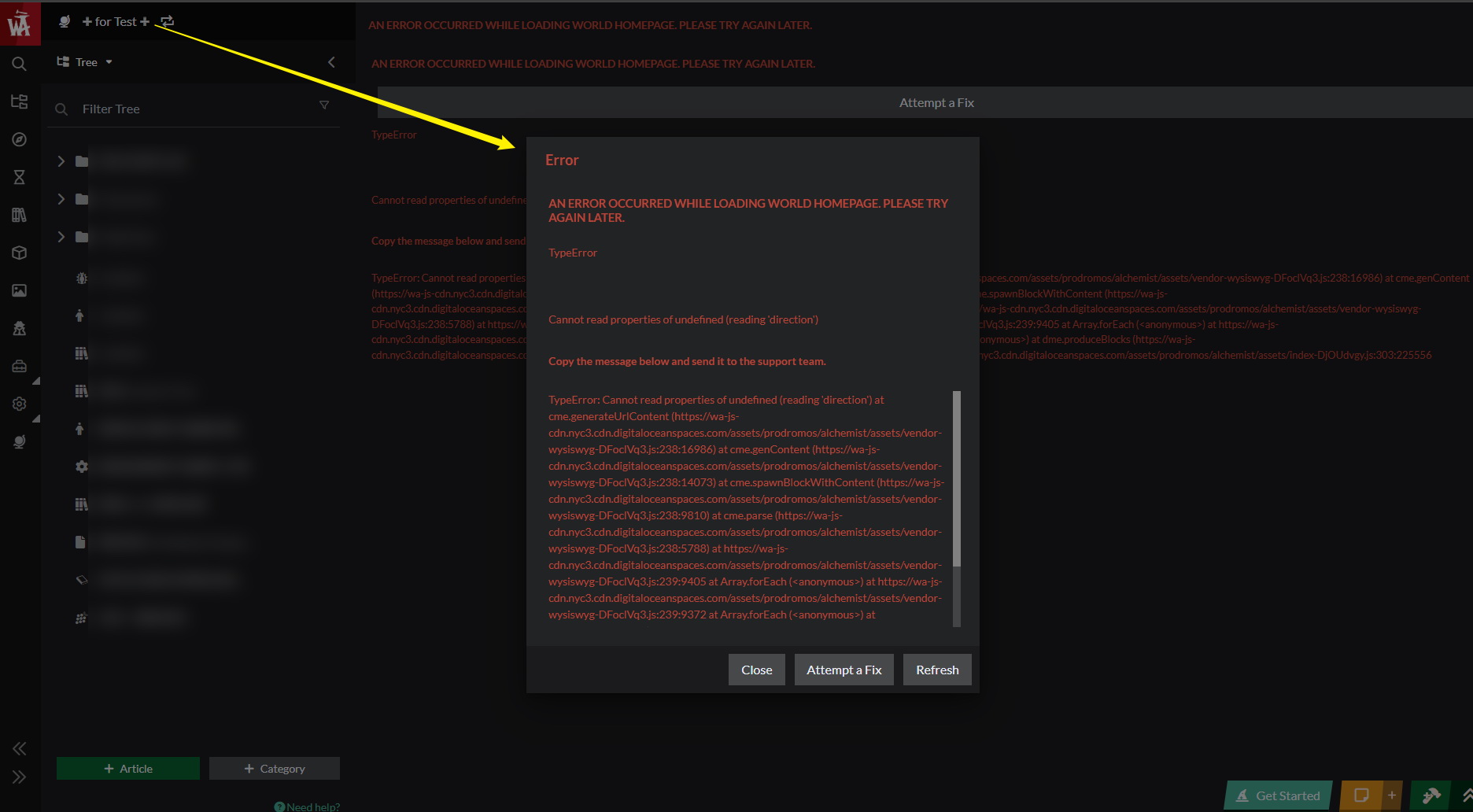
Steps to Reproduce
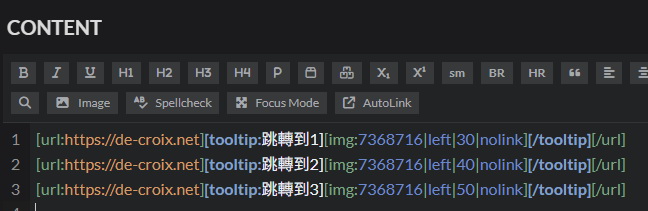
① Switch the World Homepage Text Editor from the default Visual Editor to Euclid.
② Enter the following BBCode into the Custom Area of the World Homepage:
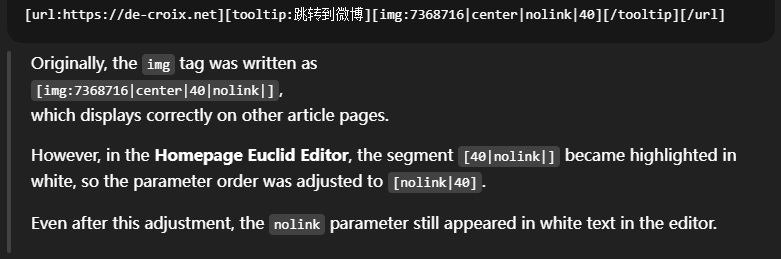
※the same BBCode tested successfull on other article pages↓
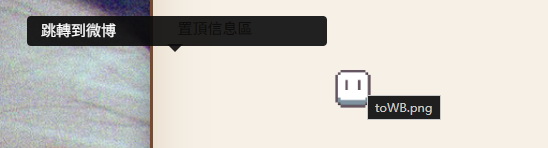
③ Preview the page in World Preview, where the output appears to work correctly.
④ Switch the Homepage Text Editor from Euclid back to Visual.
⑤ The error occurs at this point.
Additional actions that may or may not be related:
① Before switching the Text Editor back to Visual, I had recently toggled ENABLED / DISABLED states for:
- Animations
- WIP / DOWN Indicators
- Possibly Article Expanded Prompts
on the Features page.
② Earlier, I may have switched the Bootstrap version in World Settings from 3 to 5, but I am not sure whether it was switched back afterward.
After the bug occurred, I checked again and the Bootstrap version was shown as 3.
Operating System
WindowsBrowser
Google ChromeRelated Entity
- Homepage Editor(Athena)
- Text Editor switch (Euclid ↔ Visual)
History
After checking with ChatGPT, it was suggested that the issue may be related to a parsing conflict between the url tag and the nolink parameter when switching Text Editors.
This is only a preliminary inference from that consultation, and I personally suspect that this kind of issue might not be easy to fix quickly at the root level.
At the moment, my main goal is simply to restore this world's World Homepage to an editable state as soon as possible.
Would it be possible to either switch my World Homepage editor back to Euclid, so I can remove the BBCode field that may be causing the issue, or have the WA team remove the problematic field from this page via the backend?
This world is currently set to Private and is being used only for testing.
I'm not sure whether the Widget information available in this state would be helpful, but here is the world for reference:
world:7ea39df2-2627-4340-bdb4-d8ad7decc3e9
Thanks for the detailed bug report, I'll see what I can do to fix the issue on the editor side but you are using an advanced editor features like:
- tooltipping the image which is not a permitted behaviour for the visual wysiwyg.
Switching between advanced and simple editor is highly discouraged because these are NON replacable because Euclid allows for much more advanced styles of text editing which will cause errors.
Hello, thank you for the reply!
Yes, I understand that switching between the Visual Editor and Euclid can potentially cause errors. Because of this, my current workflow is to first test things in a separate Test World before applying them to other main worlds.
In this case as well, I tested the BBCode nesting in a standalone article first, and only proceeded to switch the editor after confirming that everything displayed correctly in the World Homepage preview.
After reflecting on this issue, I think the main problem may lie in the following situation:
when an error is triggered by switching editors, the settings menu used to switch the editor on the World Homepage fails to load properly. This leaves the user unable to stop the switch or revert back to Euclid in order to remove or fix the problematic fields.
If this kind of error happens in a regular article, there are still some temporary workarounds available (for example, deleting the affected article and recreating it). However, I honestly can't imagine how one would recover if this were to happen on a fully built, large world's only World Homepage.
Based on this, I can think of a couple of possible improvements:
- If switching the text editor fails, automatically revert to the previous state and show an error message prompting the user to check for problematic fields, until the issue is resolved.
- In this case of an unrecoverable error, keep at least one alternative settings panel accessible that allows the user to revert the text editor setting. (Currently, when this happens on the World Homepage, the only settings panel that controls editor switching cannot be opened at all.)
Additionally, regarding the Athena World Homepage text editor settings, I'd like to mention a small usability issue as well:
In regular articles, changing the text editor is done via the settings opened from the gear icon at the bottom menu, using the left-side panel. In that context, the "Editor" indicator on the right side is just a message showing the current selection.
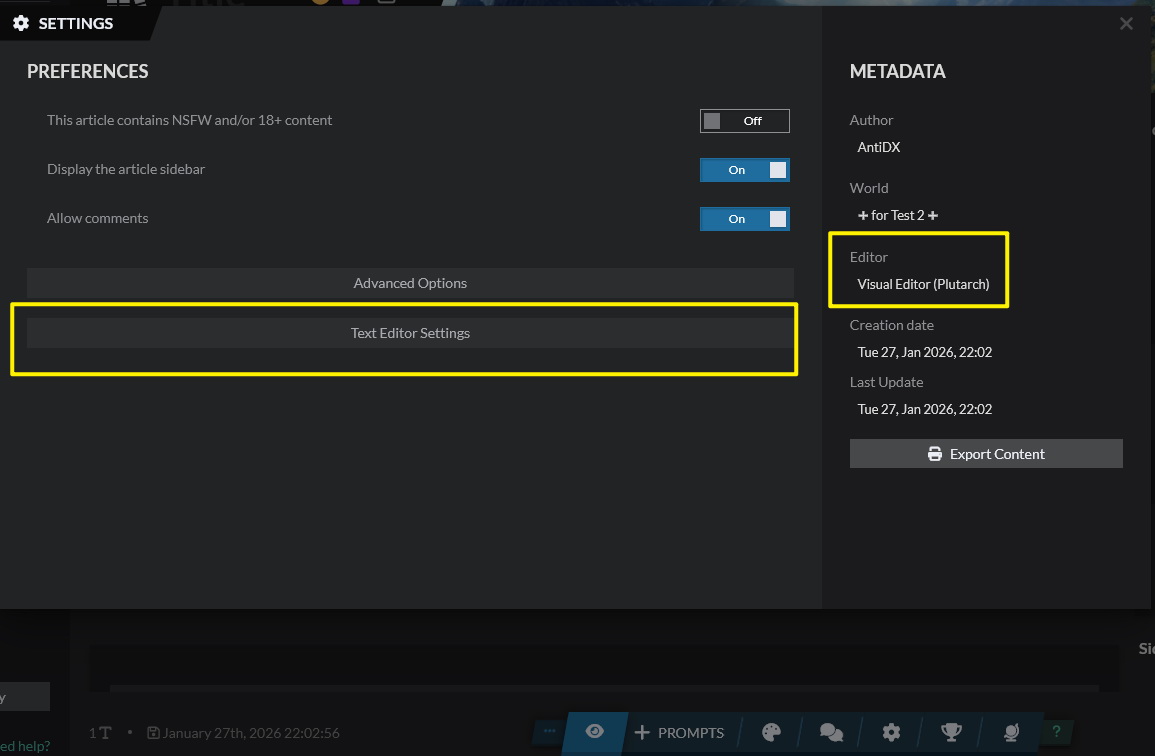
After getting used to this behavior, I tried to change the Editor on the World Homepage, but found that there was no Text Editor option in the same location:
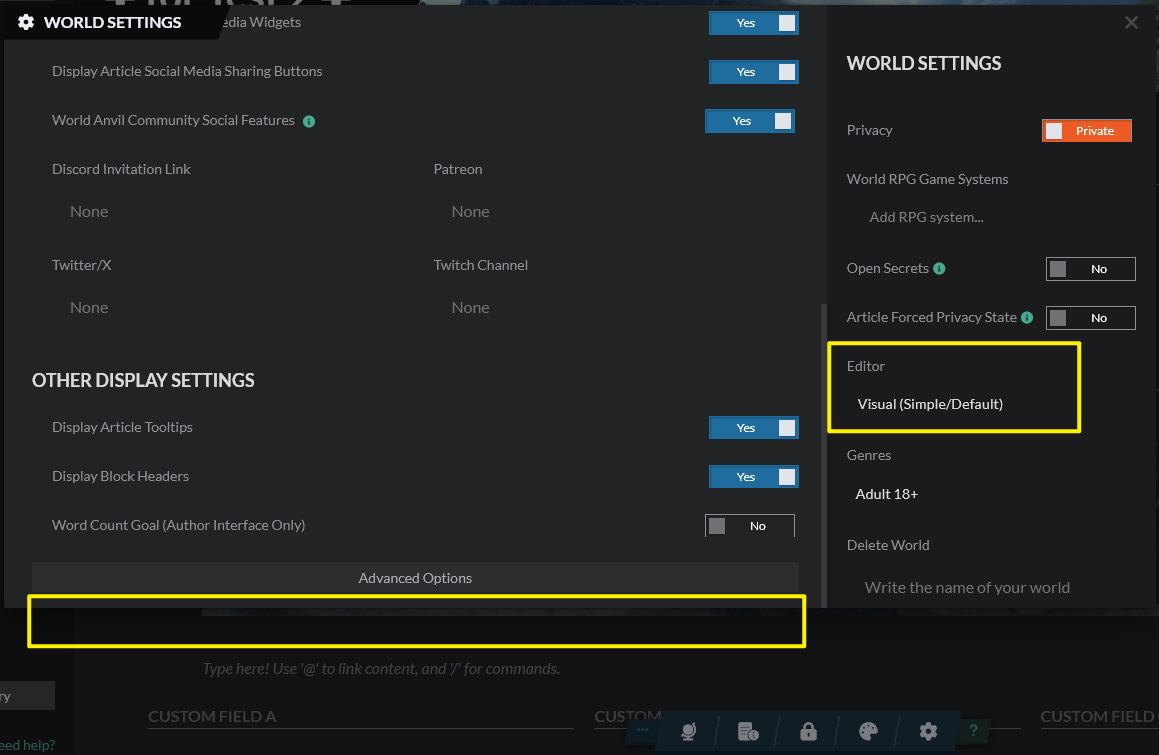
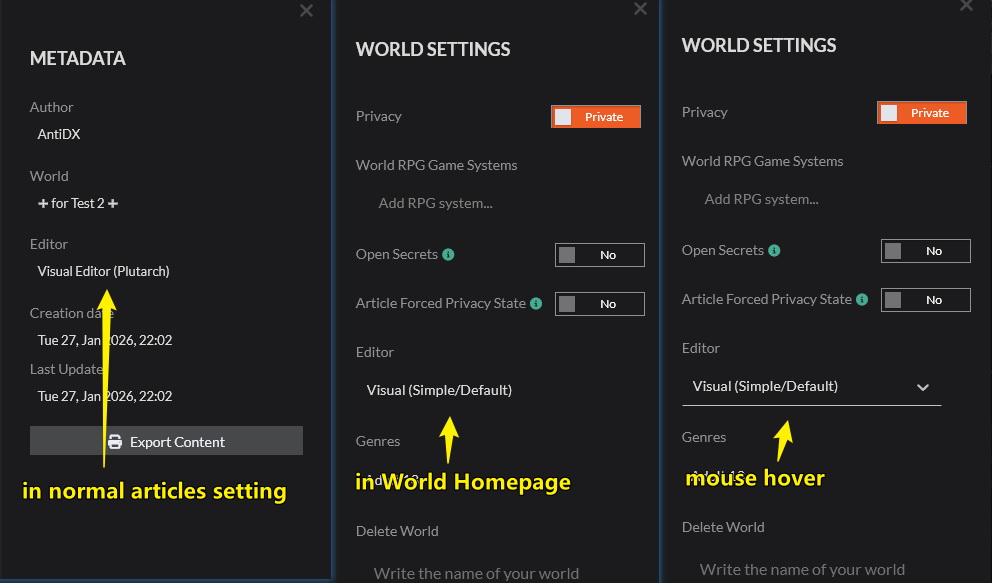
…To be honest, I spent over an hour going back and forth through almost every menu and button — including the left sidebar — and still couldn't figure out how to change the Homepage text editor. In the end, I only realized where it was after rewatching the Athena launch tutorial video. It turns out that the setting is located in theright-side panel of the gear menu, a place that, in regular articles, is used purely as a "current selection display".
On top of that, the dropdown for this setting only appears on mouse hover, and before hovering there is no clear visual indication to show that it is interactive or configurable element. As a result, it looks almost identical to the non-interactive "selection display" shown in the article settings panel, making it very easy to overlook.:(
Hello,
The bug I reported previously still hasn't been fixed, and the World Homepage editing page still shows the same error.
Is there any way to recover the Homepage and make it editable again, or is deleting this World and starting over my only option?
Thank you!
Find your way!
Resources
WHO WE ARE
LEGAL
Listen to our Podcast



