Visual Editor: Many features no longer work in Old Version Edit
Visual Editor: Many features no longer work in Old Version Edit
When editing a page using the Visual Editor in the Old Version Edit UI, various features that used to work don't any more.
- @mention: Doesn't work at all. Typing "@abc" or whatever doesn't bring up the dropdown list of pages to link.
- / commands: Many commands are missing from the dropdown list.
- Autolinker
- Article Block
- Category Block
- Manuscript
- Secret Block
- World Block
- Bloodline
- Calendar
- Diplomacy Web
- Family Tree
- Map
- Content Tree
- Statblock
- Interactive Table
- Image
- Image Block
- Carousel
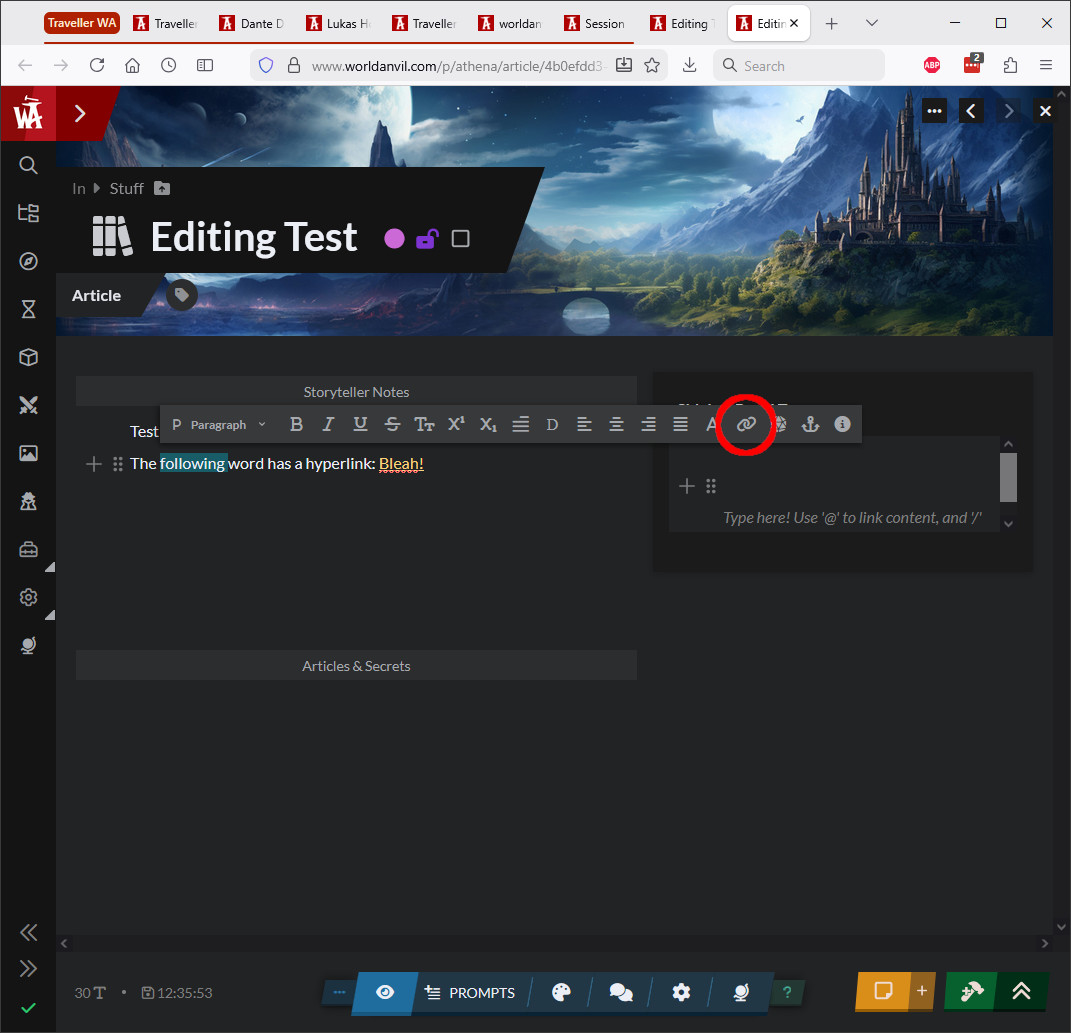
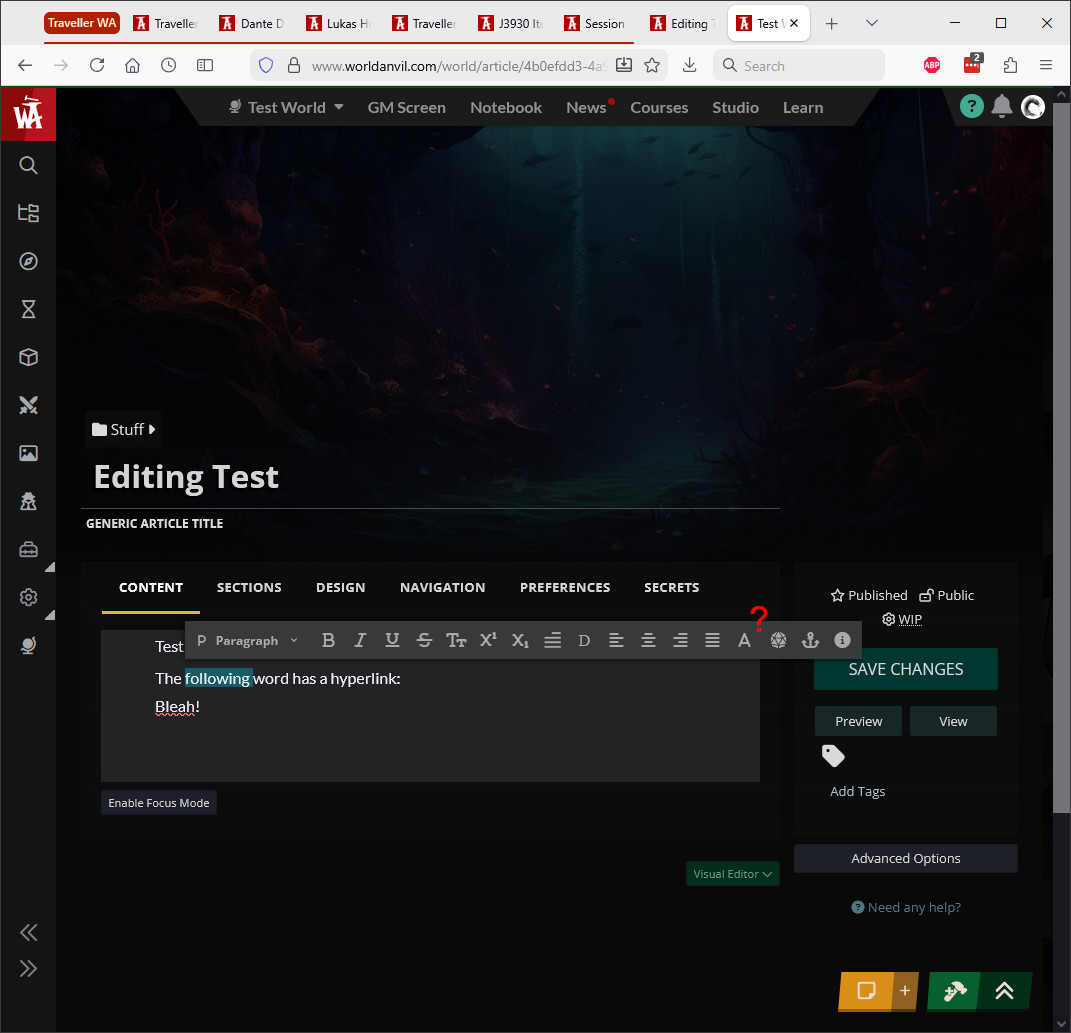
- Popup menu for selected text: The "Create Link" button is missing. When editing a page that already has a hyperlink created by "Create Link", the link is removed.
These problems also occur on the bug report page that I'm typing in right now. These problems are not seen:
- with the Euclid editor in Old Version Edit, or
- with the Visual Editor in the "new" editing UI.
I first noticed this problem on Feb. 19. Tested with Firefox and Edge on Windows 10, on two different computers. Clearing the browser cache did not help.
I have some screenshots to show these problems. I will post them if I can figure out how to embed them (/image isn't working).
I prefer the Old Version Edit UI over the new editing UI, for several reasons, so I hope that it will still be supported.
Steps to Reproduce
- Select a page in the normal editing UI.
- Make sure the Visual Editor is selected for this page.
- In the normal (new) editing UI, type in some editing commands, e.g. "something" or "/image".
Result: It works as expected. A dropdown list appears and the desired page or command can be selected.
- Switch to the old editing UI by clicking "Old Version Edit" on the dropdown menu at the top right.
- Type "something" .
Result: No dropdown list appears. Expected a dropdown list to appear.
- Type "/image".
Result: After pressing "/" a dropdown list appears, but it disappears by the end of typing "/image". Expected the dropdown list to display the "Image" command.
Operating System
WindowsBrowser
FirefoxHistory
Followup note: When I tested this on a different computer, the Visual Editor worked correctly the first time I tried it. But after clearing the browser cache, all of the above problems appeared.
It had been a week or two since I used that computer on World Anvil, so this suggests that a recent change to the Visual Editor caused these problems.
Typo correction: In the Steps To Reproduce, where it says "something" in quotes, it should have an at-sign before the word. The at-sign got deleted by the editor.
Here are some screenshots showing the differences in the Visual Editor between old and new edit modes. (I had to switch to the Euclid editor to embed them here!)
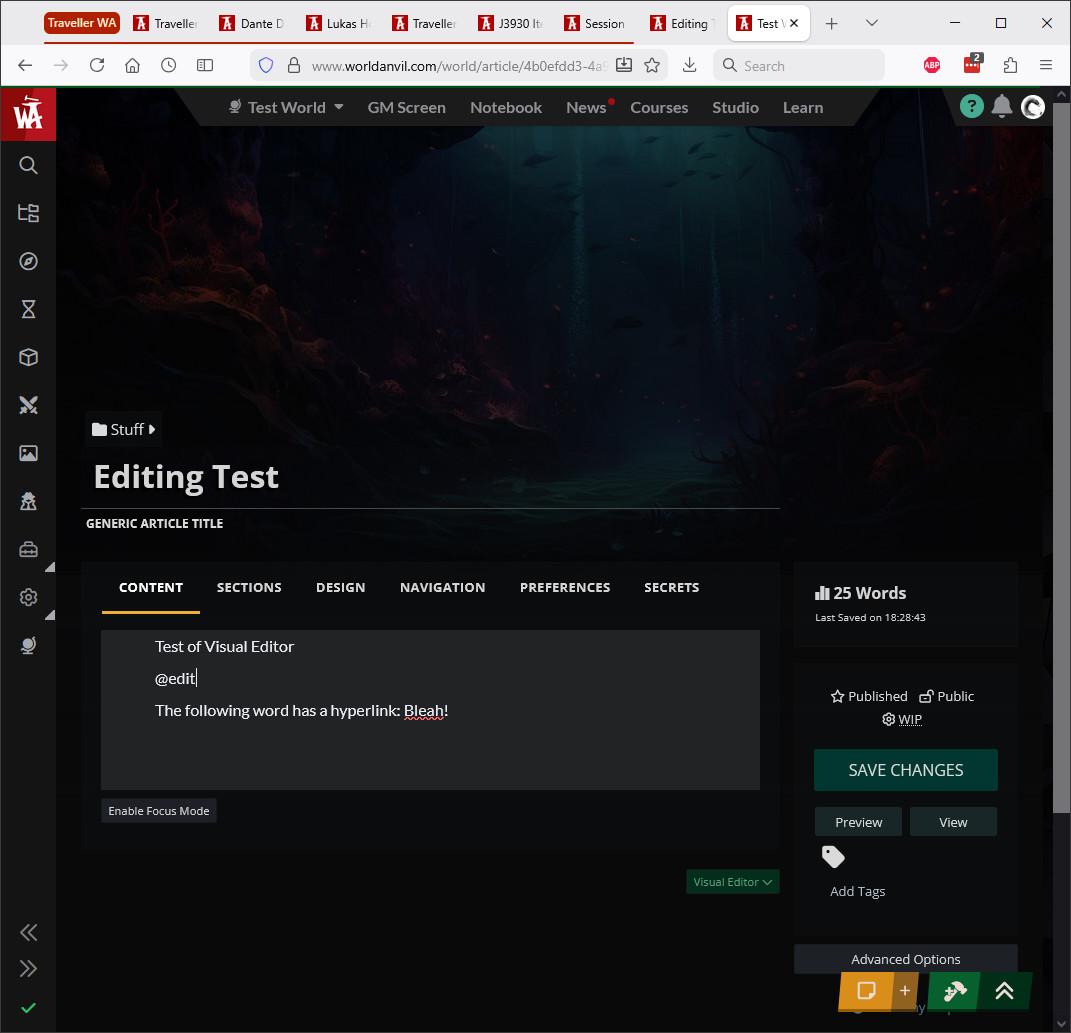
at-mention, the way it's supposed to work:
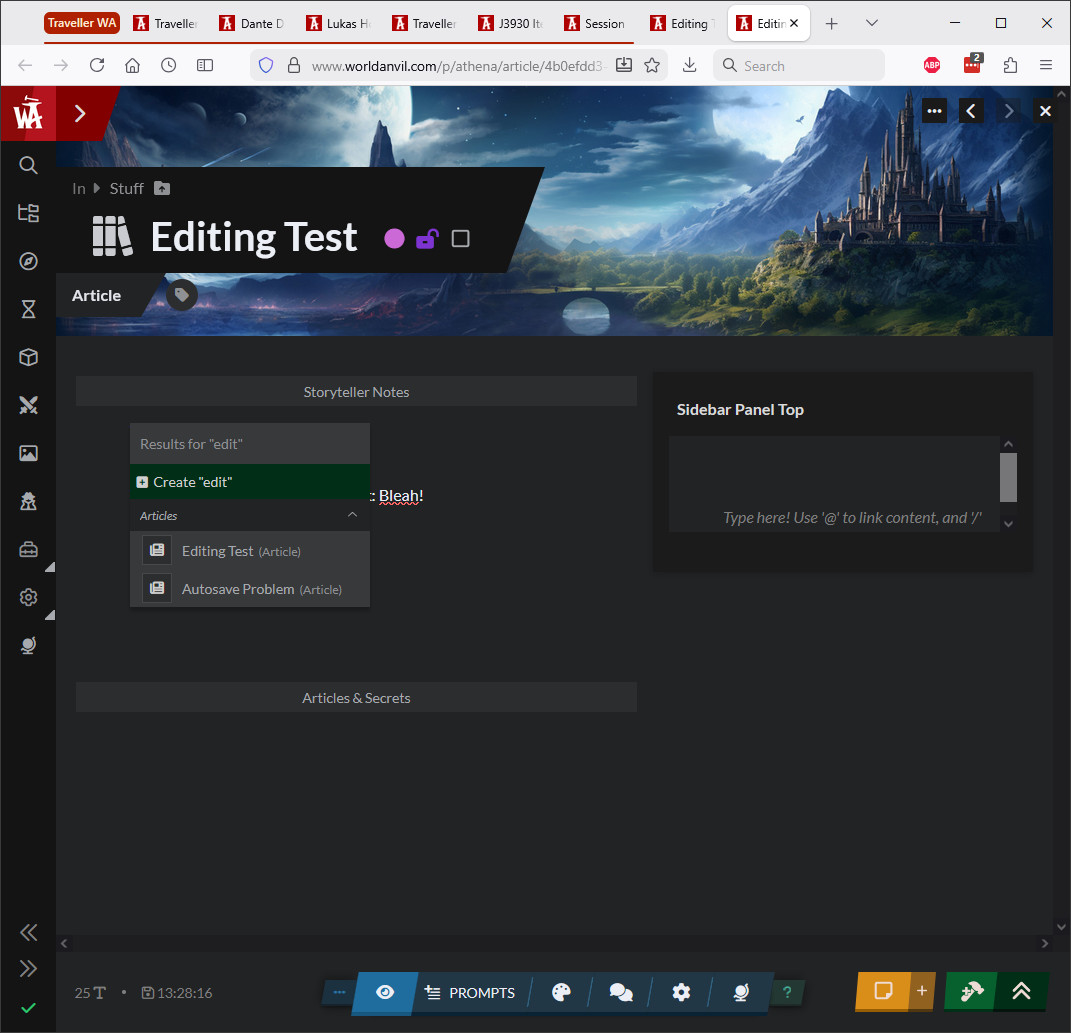
at-mention in Old Version Edit - no popup appears:
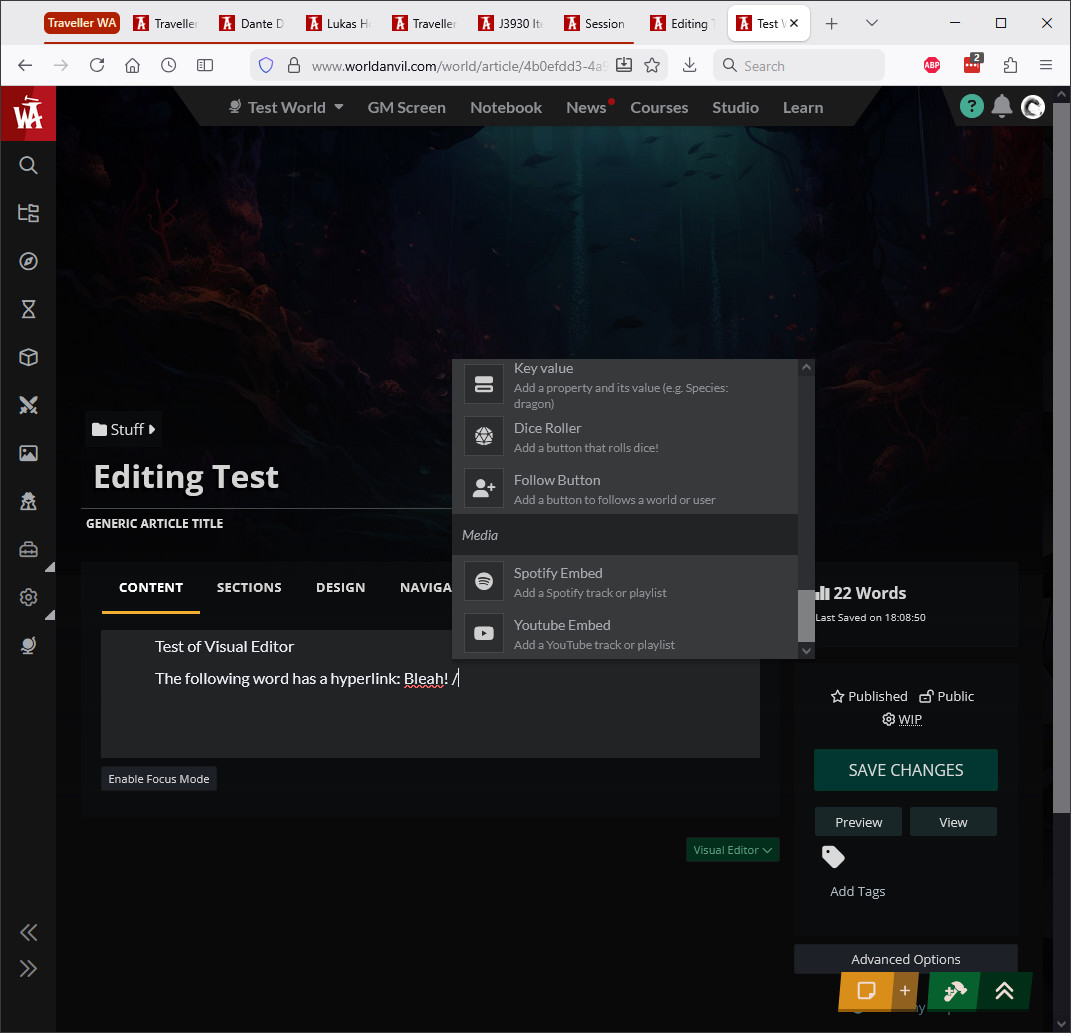
slash-command popup, the way it's supposed to work:
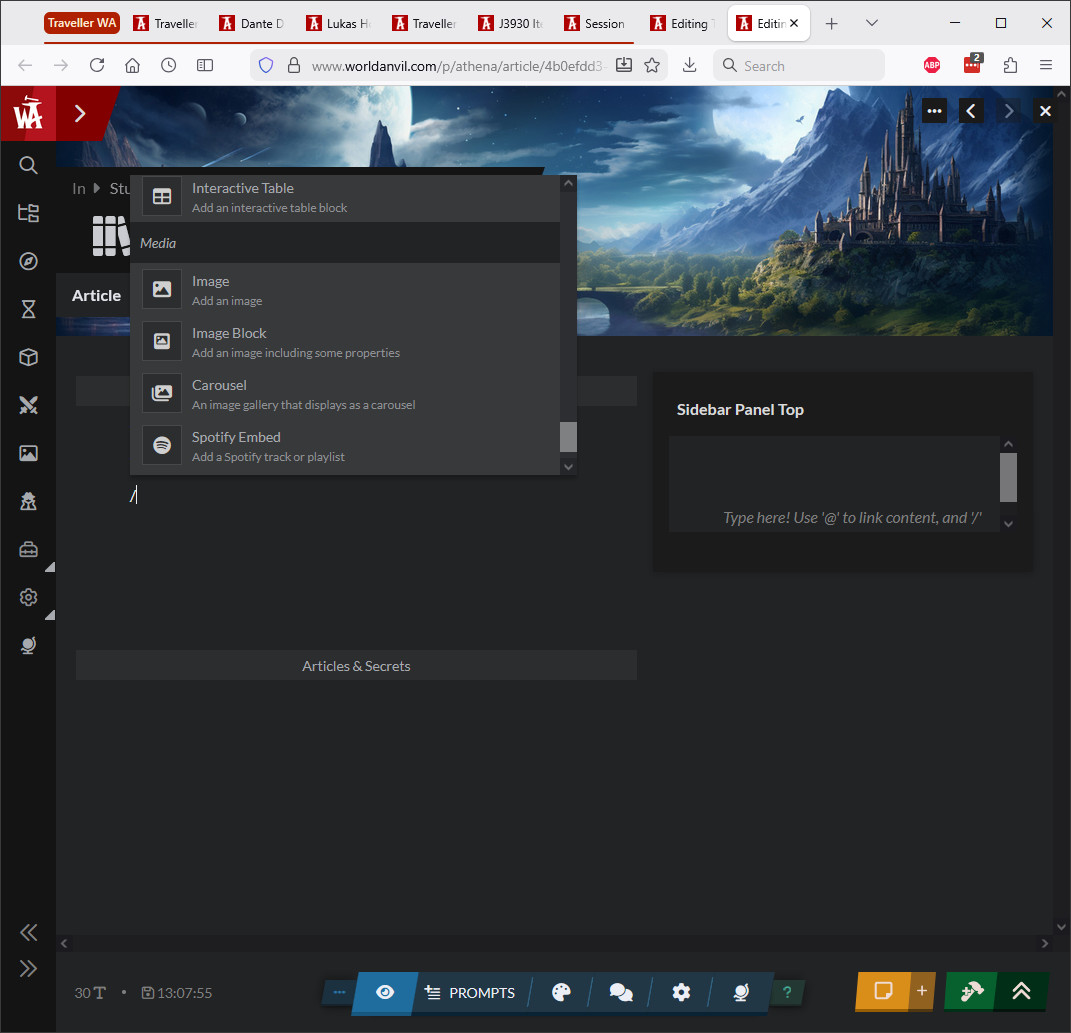
slash-command popup in Old Version Edit - commands like Image are missing:
Popup for selected text in the new UI, with the Create Link button highlighted:
Popup for selected text in Old Version Edit, showing where the Create Link button used to be:
i did some testing and it looks like the entity blocks fully work.
there should be however an ability to hyperlink from the formatting toolbar when something is selected and the mention search is an issue
I am still seeing all the same problems as before.
I did see the /-command menu working correctly for a minute, but then I cleared my browser cache and now it's missing a bunch of commands, as shown in my screenshot above. It seems pretty consistent that clearing the browser cache messes up Old Version Edit.
Yeah, because you are clearing local-storage too and we read data from that, quick logout and login should fix that - as per the @ menu, there's something unusual there
Unfortunately, logout - login doesn't fix anything - commands like /image are still not available in Old Version Edit, or in this bug comment box.
I also tried logout - close browser - open browser - login but that didn't help either.
I don't know why it started working for a minute on my laptop yesterday. If I figure out what I did I'll report back.
There was more work to do, make sure to retest it now :)
This bug was fixed for a while, but sometime in the last couple of weeks the Visual Editor in Old Version Edit has stopped working again - same symptoms as described above.
It looks like this bug has been fixed again, it's been working properly for a few days now.
Thank you for your attention to this.
Find your way!
Resources
WHO WE ARE
LEGAL
Listen to our Podcast



